Stop Guessing Which Doors to Knock: TotalGTM Now Works for Home Services
For roofing, restoration, flood barrier, solar and pool companies: see which homes in your area are the best bets this week, plan the route, and know what to say.
If you run a roofing crew, a restoration company or a flood barrier business, you already know the hard part isn’t the work. It’s finding the right houses.
Most teams do it one of three ways:
- Drive the neighborhoods after a storm.
- Buy a list that half your competitors also bought.
- Knock and hope.
All three burn time and gas on homes that were never going to buy.
TotalGTM now does this for you. Tell it what you sell and where you work, and it shows you which homes are the best bets, why, and the best order to visit them in.
Every home in your area, ready to search
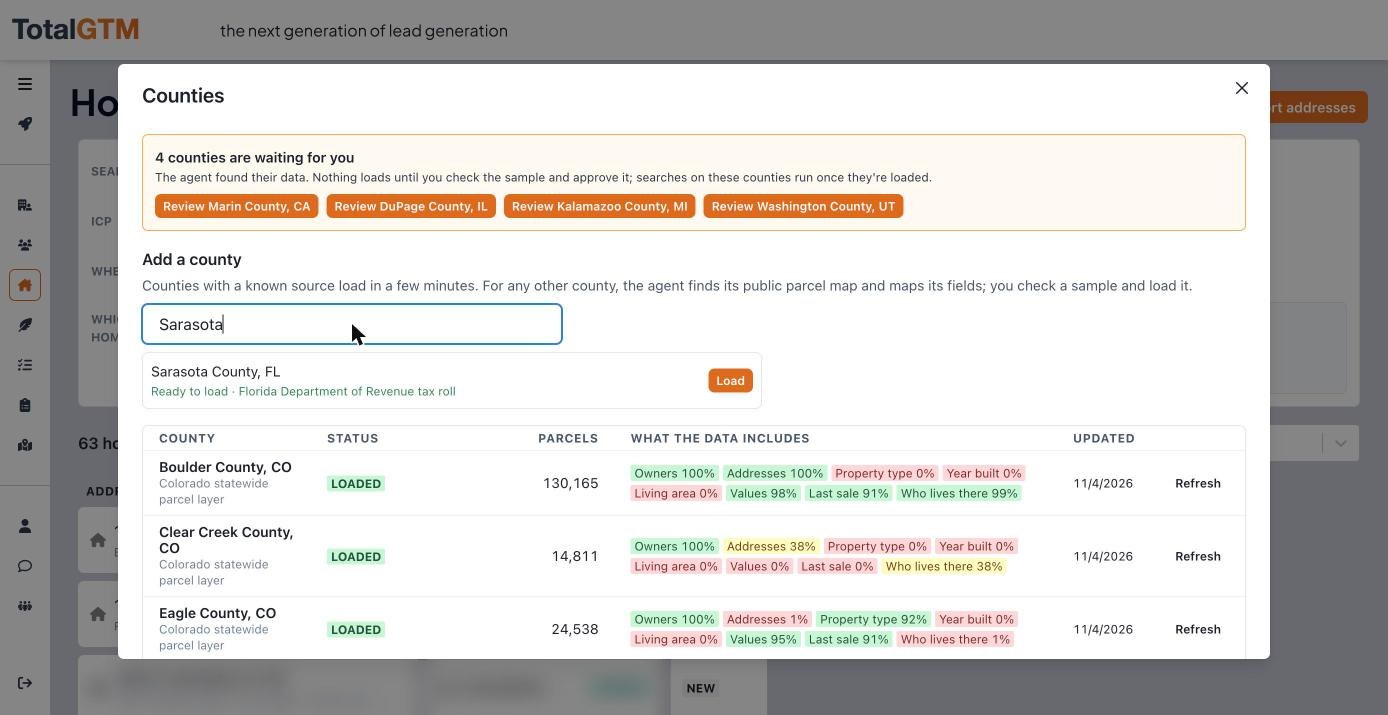
Pick the counties you work. TotalGTM loads every home in them from the public property records: owner, year built, size, value, how long they’ve owned it, and whether they live there. When we added Palm Beach County, Florida, nearly 600,000 homes were ready about six minutes later.
Find the homes that need you right now
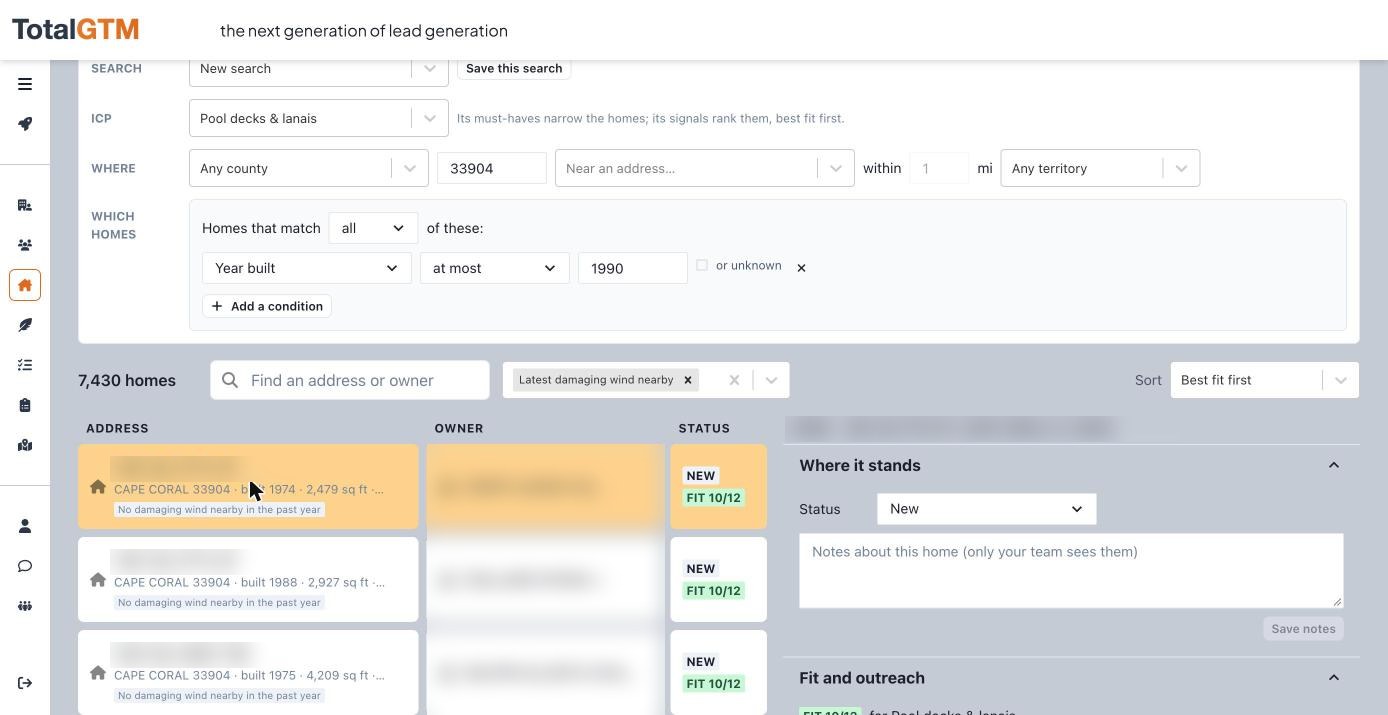
Search the way you’d talk about a neighborhood:
“Homes in Cape Coral, built before 1990, owner lives there, damaging wind within 3 miles this year.”
Every home shows the storms that came near it: hail, damaging wind, tornadoes, with dates. For water and flood work, it can show which homes sit low, which are in flood zones, and which took water in the last week. We wrote about that here.
Tell it who your best customers are
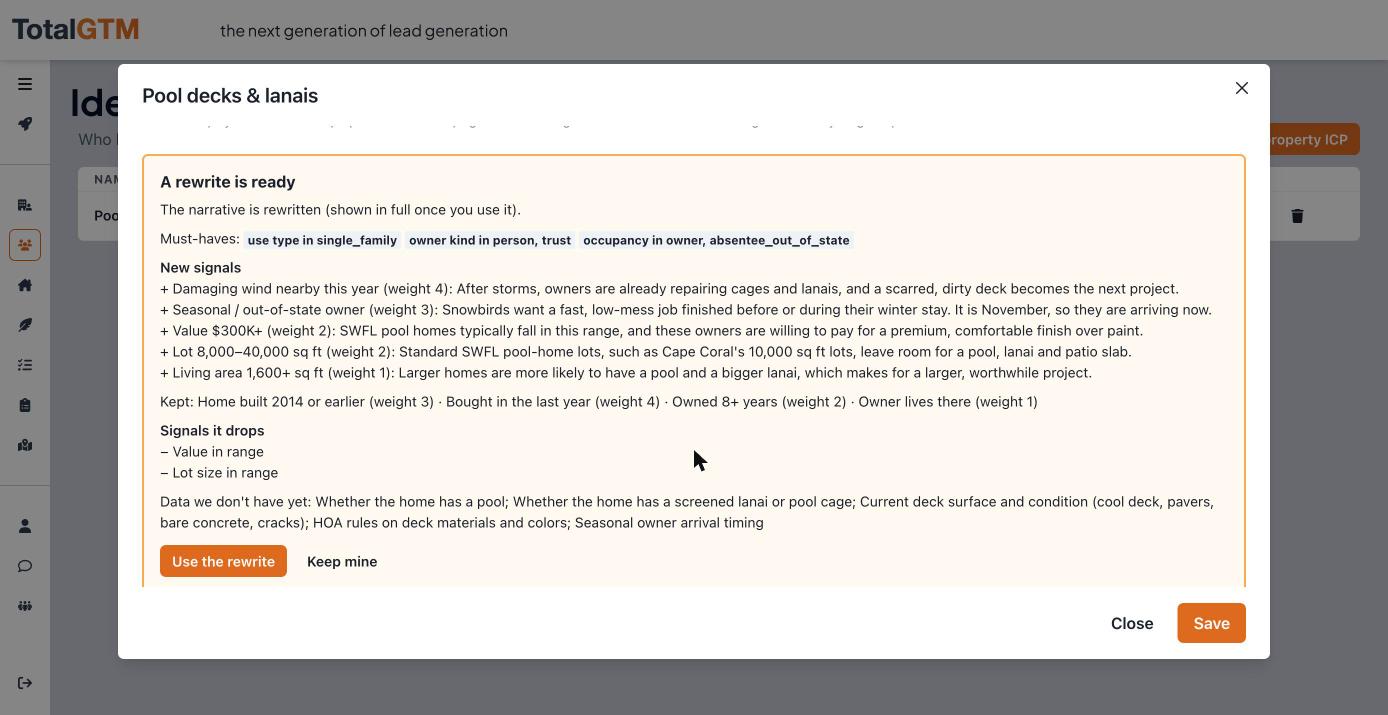
You know what a good job looks like. Maybe it’s older homes, owner lives there, owned more than five years, near recent hail. Write that down in your own words. TotalGTM scores every home against it, so the best fits come first, and tells you why each one made the list.
Not sure how to put it into words? It will draft one from what you sell, and you keep what you like.
Plan the morning in one click
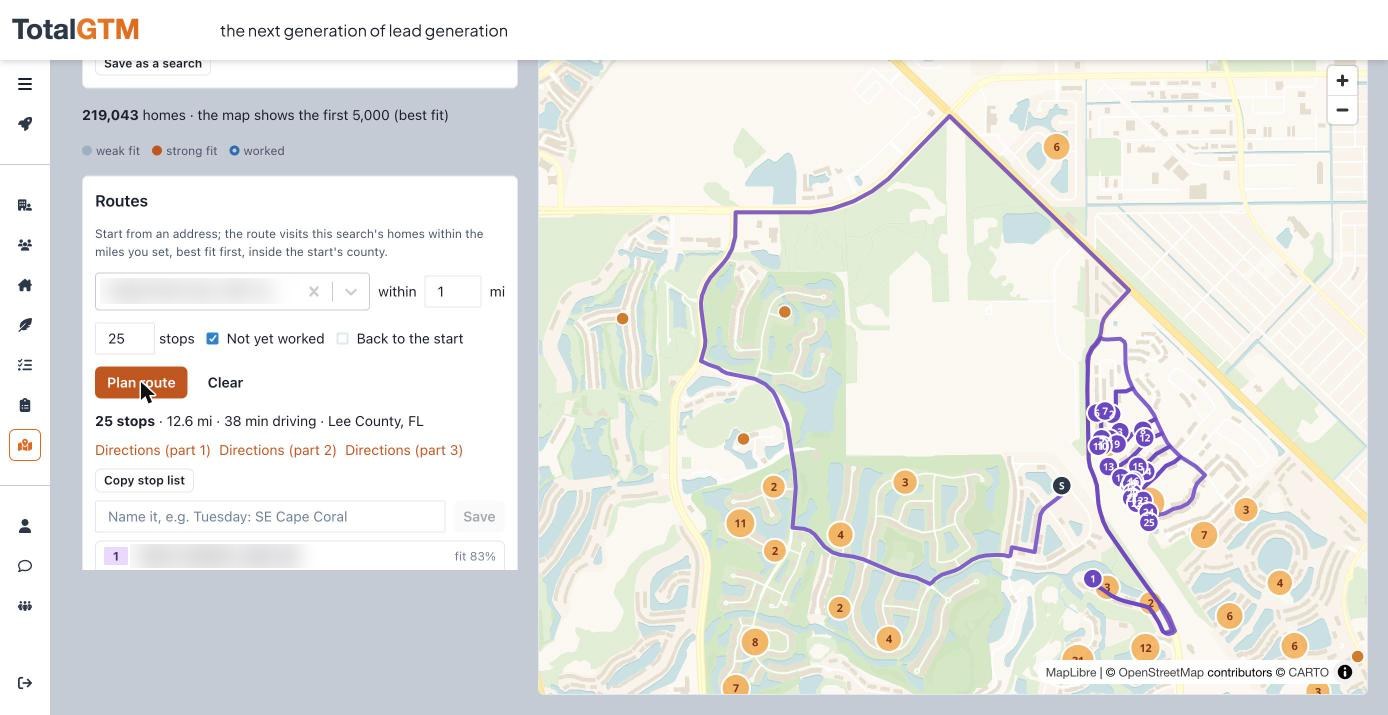
Pick where you’re starting and how many stops you want. TotalGTM picks the best homes nearby that you haven’t visited yet and puts them in driving order. It also keeps you inside your county, so the route doesn’t wander into the next one.
The morning below: 25 doors, 12.6 miles, 38 minutes of driving, best fits first. Send the directions to your phone and go.
Know what to say
Pick a home and TotalGTM writes a door opener, postcard, call script or email for it, based on why that home is a good fit.
It also knows what not to say:
- It won’t read the owner’s sale price or tax bill back to them.
- It won’t claim damage it can’t see.
- It won’t talk about insurance claims.
Nobody likes feeling like you looked them up.
You stay in charge
TotalGTM finds, ranks, plans and drafts. It never knocks, mails or calls for you, and it doesn’t buy homeowners’ phone numbers or emails. You decide who to contact and how.
Get started in four steps
- In your profile, under Who you sell to, choose Homes.
- Open Homes → Counties and add the counties you work.
- Describe your best customer under Ideal Customer Profiles.
- Run a search and plan your first route.
Already use TotalGTM to sell to businesses? Nothing changes there. You can do both from the same account.
Keep reading
- Before and After Postcards From a Photo of Their Home
Make before and after postcards from a photo of the homeowner's own house. Roofing direct mail you print or send yourself, each picture labeled an illustration.
- How to Find Homes With Pools From Aerial Imagery
Find homes with pools from aerial imagery, one lot at a time. The import agent checks each lot for a pool or a dock and tells you when the picture was taken.
- A Mobile Sales App to Work Your Leads One at a Time
A mobile sales app for B2B reps: pick a list, read a short brief before you call, ask about the person, get a draft in your voice, and tap what happened.