Before and After Postcards From a Photo of Their Home
Make before and after postcards from a photo of the homeowner's own house. Roofing direct mail you print or send yourself, each picture labeled an illustration.
A homeowner who hasn’t thought about their pool deck in ten years won’t picture it resurfaced because you said so. They’ll picture it when they see it.
That’s always been the problem with mailers. A stock photo of somebody else’s house gets thrown out with the rest of the mail. Before and after postcards that show their house, as it is today and as it could look, get read.
TotalGTM now helps you make them. Photos of the home, a picture of what it could look like after the work, and a postcard or email draft that carries both.
Start with a photo of the home
Open a home and add photos in the Photos section. Take one with the camera or upload ones you already have, up to 20 at a time.
In the field, the door to door canvassing app does the filing for you. Take a picture at the door and it goes on that home.
The location in a photo is only used to put it on the right home. The copy we keep has the location and camera details stripped out. Notes you add to a photo are seen by your team only. Here’s how your data stays inside your organization.
Show what it could look like
Pick a photo and say what it should show, in your own words:
“The driveway and walkway resurfaced in light gray rubber stone, everything else the same.”
TotalGTM makes the picture. It keeps the same house, the same angle, the same light and the same yard, and changes only what you described. It takes about a minute.
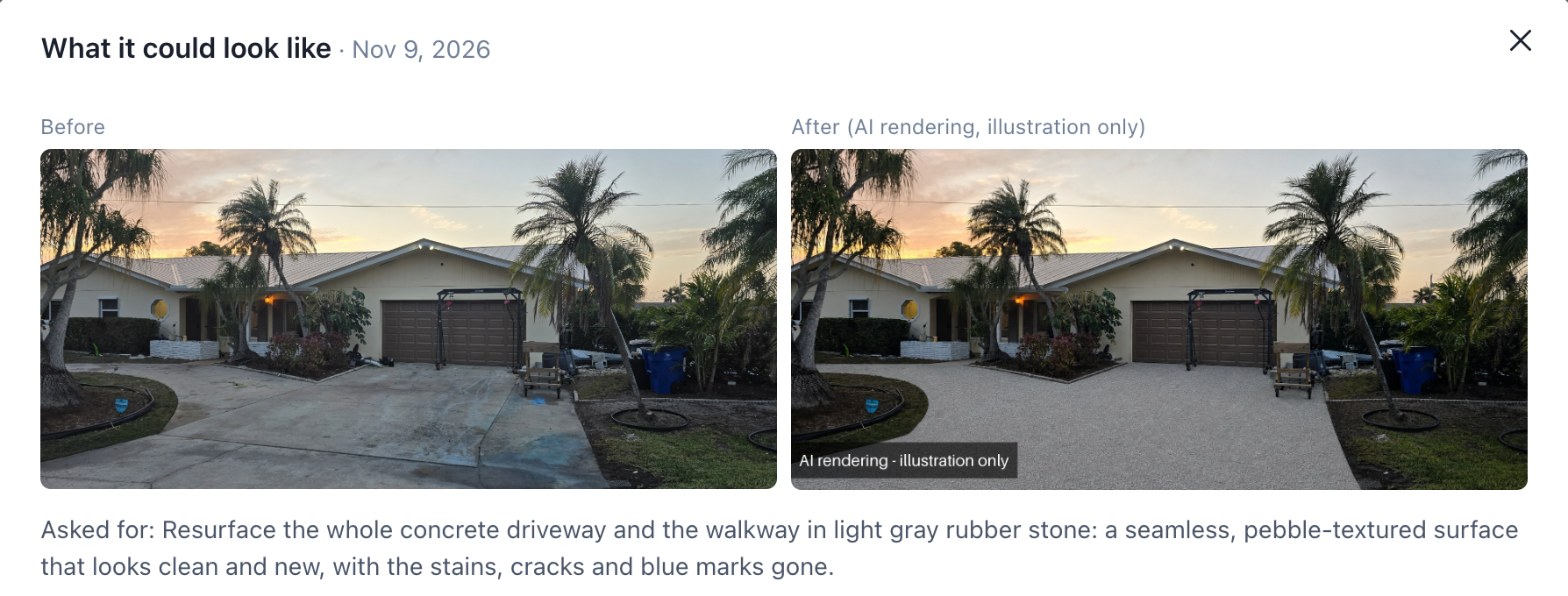
A few things it always does:
- Every picture is stamped “AI rendering - illustration only.” It can’t pass for a finished job.
- Nothing runs until you ask. One picture per click, from one photo.
- Every rendering is kept. Try a darker shingle, then a lighter one. Flip between them and keep the one that works.
The pictures are made with your own image model first: an OpenAI, Google Gemini or xAI Grok account you set up under User Profile. If you don’t have one, your organization’s is used, if your admin set one up. If neither is set up, your organization can choose to allow TotalGTM’s own image model, paid from its credit balance.
Before and after postcards, ready to print
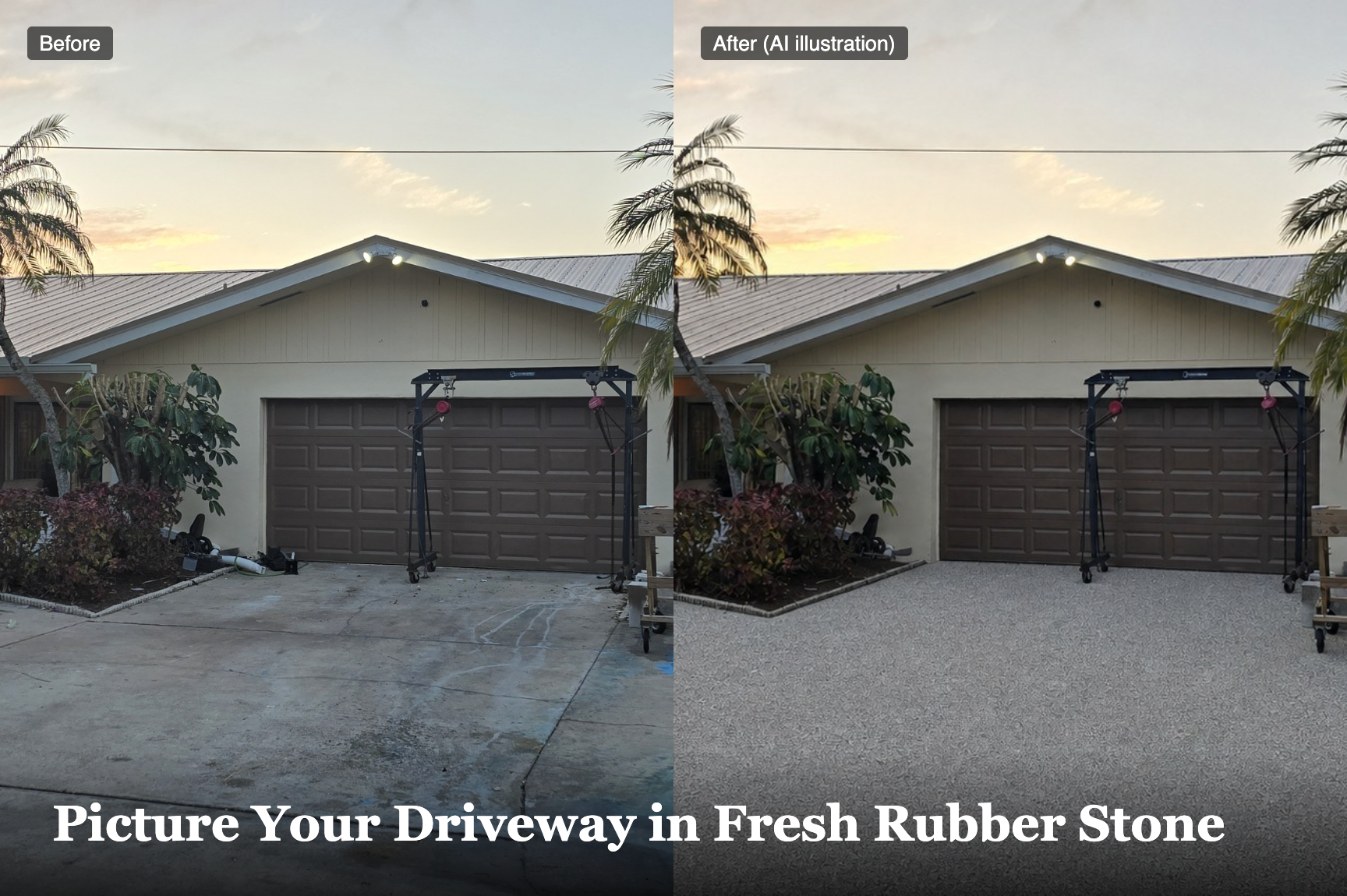
When you write a draft for a home, the latest rendering and its “before” photo go with it. Click Change pictures to pick up to four, in the order you want.
The draft knows the pictures are there. If it mentions the rendering, it calls it an illustration or a preview, never a photo of finished work.
Then pick how it goes out:
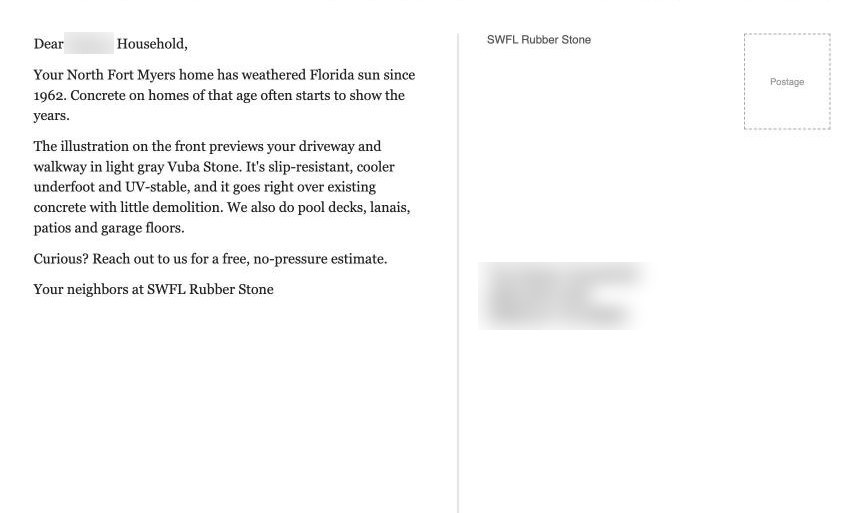
- Postcard (print or PDF). A 6x9 postcard, front and back. The front is the before and after with the headline. The back is the message, your company and the address. Print it double-sided on card stock, or save it as a PDF for your print shop.
- Download email. An email file with the pictures in the message. Open it in Mail or Outlook, add the address and send it yourself.
- Show at the door. The before and after, full screen, to hold up on the porch.
The drafts follow the rules
Pictures make a mailer personal. The words have to stay on the right side of that line too. Every draft:
- Never mentions the sale price or tax bill, or that anything came from public records.
- Never claims damage it can’t see. At most it says homes of that age or on that street often need attention.
- Never talks about insurance or claims.
- Addresses the household, not the owner’s full legal name.
Nobody likes feeling like you looked them up.
Roofing direct mail you send yourself
TotalGTM writes the draft and makes the pictures. It never mails, emails, calls or knocks for you. You print the postcard, or send the email from your own account, when you decide to.
These postcards are addressed to one household at a time, for homes you picked. If you want to cover every address on a carrier route instead, the post office’s Every Door Direct Mail does that without a mailing list. But then nobody sees their own house on the card.
Get started
- Make sure an image model is set up: yours under User Profile, or your organization’s.
- Open a home and add a photo, or take one with the phone app.
- Click Show what it could look like and describe the finished job.
- Write a mailer or email draft for the home and check its pictures.
- Click Postcard (print or PDF) or Download email.
New to TotalGTM for home services? Start with how home services mode finds the right homes.
Frequently asked questions
How do I make a before and after postcard for a roofing lead?
Add a photo of the home, click Show what it could look like and describe the finished job. Write a mailer draft for the home, then click Postcard (print or PDF) for a 6x9 postcard with the before and after on the front.
Are the after pictures real photos of finished work?
No. Every rendering is stamped "AI rendering - illustration only", and the draft calls it an illustration or a preview, never a photo of finished work.
Which image model makes the renderings, and who pays for it?
Your own image model account if you set one up, otherwise your organization's. If neither is set up and your organization allows it, TotalGTM's own image model runs and is paid from the organization's credit balance.
Does TotalGTM mail the postcards for me?
No. You print the postcard or save it as a PDF for your print shop, and you mail it. TotalGTM never mails, emails or knocks for you.
Is the location in my photos kept?
The location is only used to put the photo on the right home. The copy that's kept has the location and camera details stripped out.
Keep reading
- How to Find Homes With Pools From Aerial Imagery
Find homes with pools from aerial imagery, one lot at a time. The import agent checks each lot for a pool or a dock and tells you when the picture was taken.
- A Mobile Sales App to Work Your Leads One at a Time
A mobile sales app for B2B reps: pick a list, read a short brief before you call, ask about the person, get a draft in your voice, and tap what happened.
- Bring Your Own AI Key for Sales Prospecting
Bring your own AI key from OpenAI, Claude, Gemini and more. Your provider bills the AI usage directly, and no credits are used. See who pays, limits and usage by person.