Set Up an AI SDR in Minutes, With a 30-Day Free Trial
Sign up for TotalGTM, the AI SDR that researches accounts and drafts outreach. Every setup step, from your free trial and AI key to your first landscape.
Most sales tools make you wait before you can try them. Book a demo, wait for an account, sit through a setup call. By the time you’re in, you’ve forgotten why you wanted it.
TotalGTM works like an AI SDR: it researches the companies you want to sell to, finds the people to talk to and drafts outreach for you to send. You can now sign up yourself and be working the same day. Setup takes a few minutes, and the first piece of research starts while you finish. Here’s every step, so you know what’s coming.
Start your AI SDR free trial
Use Sign up with Google, or fill in your name, email, company name and a password. Your phone number is optional.
You get your own organization right away, on a 30-day free trial with two full seats: one for you and one for a teammate.
Confirm your email for free credits
If you signed up with email, ask for a code and type in the 6 digits we send you. The code is good for 15 minutes. If you signed up with Google, your address is already confirmed.
Once your email is confirmed, your organization gets $25 of credits to use TotalGTM’s AI models. They last 30 days, so you can try everything before you decide how you want to pay for AI.
Choose who you sell to
The first question is what do you sell?
- Businesses: find companies that fit your ideal customer, research them, find the people to talk to, and write outreach.
- Homeowners: find homes in your service area, see what happened to them, and plan where your team goes.
This choice sets up the rest of the steps and what the console shows you. A Business plan can add the other one later. If you sell to homeowners, read how the door-to-door canvassing app works.
Connect your AI, or use ours
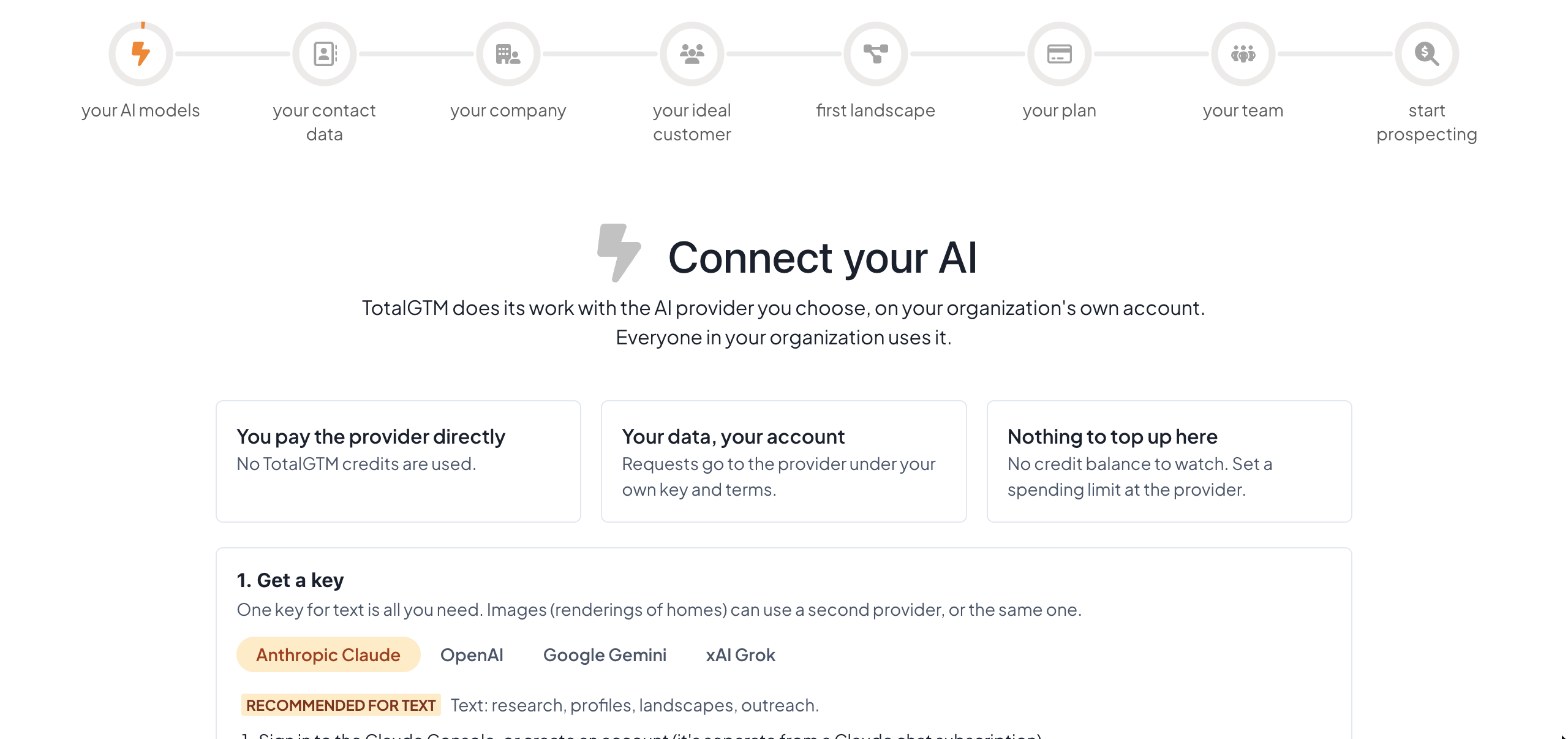
TotalGTM does its research and writing with an AI model. You have two choices.
Use your own key. Pick Anthropic Claude, OpenAI, Google Gemini or xAI Grok. Each one has step-by-step instructions on the page for getting a key. Then:
- You pay the provider directly, and no TotalGTM credits are used.
- Requests go to the provider under your own key and terms.
- There’s no balance to top up. Set a spending limit with your provider.
One key for text is all you need. Everyone in your organization uses it, and you can change or remove it any time under Organization, AI models. We explain the trade-offs in bring your own AI key for sales prospecting.
Use TotalGTM’s models. Skip the key and draw on your credits instead. Credits cover what it costs to use TotalGTM’s models.
Connect your contact data, if you want to
Next is an optional step: connect the contact database you’ll use to reach people. Which one you see depends on who you sell to:
- Businesses: Hunter, to find people and their work emails at any company. Hunter’s own API documentation describes finding the email addresses at a company’s domain.
- Homeowners: Tracerfy, to look up a home owner’s phone and email from the home’s page, with do-not-call numbers held back for you. You can try it on Tracerfy’s free sandbox first.
- Both: you can connect either or both.
You always connect your own account, and the provider bills you directly. No TotalGTM credits are used, and TotalGTM never calls, texts or emails anyone for you. Tap Skip for now if you’re not ready. You can connect them any time from Organization, AI models, Contact data.
Set up AI prospecting: your company and your best customers
If you sell to businesses, the next two steps give TotalGTM what it needs to do research for you:
- Your company. Your company name, website and a few links about what you sell. This becomes your company profile.
- Your ideal customer. Describe the kind of company you want to find and why they’d buy. This becomes your first ideal customer profile.
Both take a little while to write. You don’t have to wait. Move on to the next step and they keep going in the background.
Start your first opportunity landscape
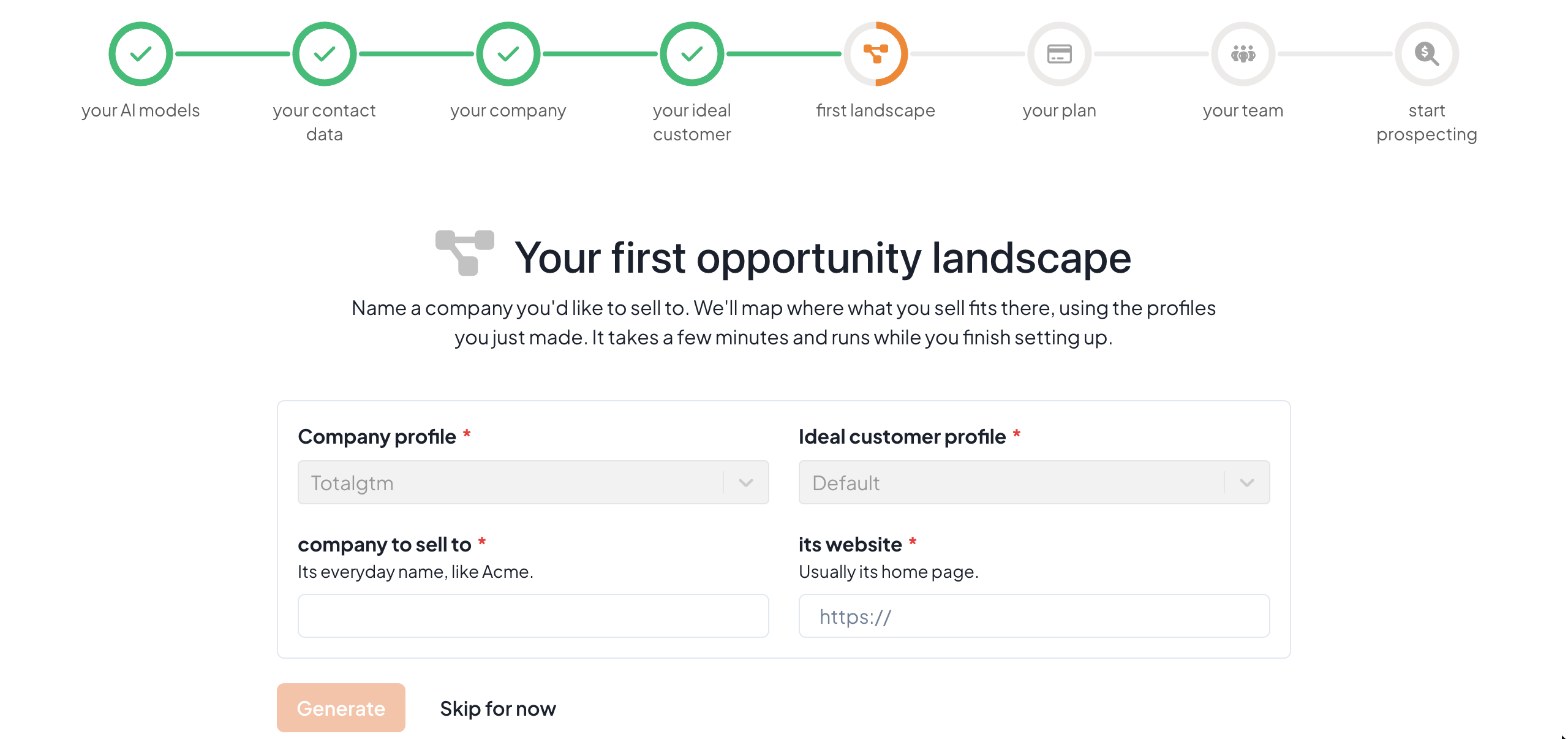
Name one company you’d like to sell to and give its website. TotalGTM maps where what you sell fits inside that company, using the two profiles you just made.
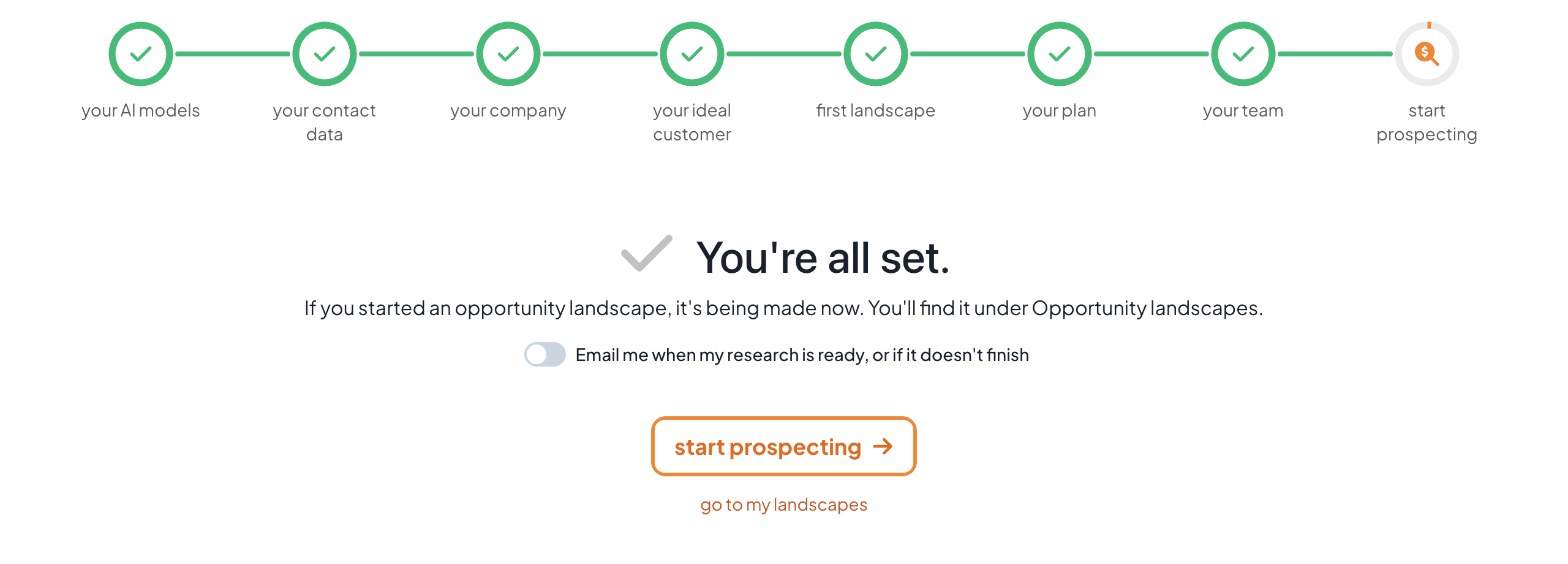
It takes a few minutes. If your profiles are still being written, the landscape waits in line and starts as soon as they’re ready. You’ll find it under Opportunity landscapes. On the last step of setup you can turn on emails, and we’ll tell you when it’s ready, with a first look at what it found.
Not ready to pick a company? Tap Skip for now.
Choose a plan, or keep trying
If plans are available, you’ll see the date your trial ends. Choose a plan now, or continue on the trial and choose one any time from Organization, Billing.
When a trial ends without a plan, only the pages for buying a plan stay open to your organization’s admin.
Invite your team
Make an invite link for each person and send it to them. They join your organization and use its AI models. They don’t have to set anything up: anyone who joins by invite skips straight to the console.
You can also Skip for now and invite people later from Organization, People.
Choose your emails
The last step asks whether you want an email when your research is ready, or if it doesn’t finish. It’s off until you turn it on. A ready email gives you a first look at what was found, like a deep dive’s top pains and who owns each one, with a link straight to it. You can change this any time on your profile’s Email tab.
New features show up as suggestions
Setup doesn’t end with the last step. When we add something you haven’t set up yet, it appears on your LaunchPad under Set up what’s new, with a button that takes you there. The most important one may also pop up as a short note once per session, and never the same one twice in a day. If you skipped a step, such as contact data, you’ll find it there too.
Where to go next
For a deeper walkthrough of company profiles, ideal customer profiles, landscapes and deep dives, read Getting Started with TotalGTM: Your First 30 Minutes.
- Sign up with email or Google.
- Confirm your email to get your sign-up credits.
- Choose who you sell to, and connect an AI key or use credits.
- Connect your contact data, or skip it for now.
- Fill in your company and your ideal customer.
- Name a company for your first landscape, and invite your team while it runs.
Frequently asked questions
Is there a free trial of the AI SDR?
Yes. When you sign up yourself, your organization starts on a 30-day free trial with two full seats: one for you and one for a teammate.
Do I need my own AI key to start?
No. You can connect a key from Anthropic, OpenAI, Google Gemini or xAI Grok, or confirm your email and start on $25 of TotalGTM credits that last 30 days.
How long does setup take?
A few minutes. Your company profile and ideal customer profile keep writing in the background while you finish, and your first opportunity landscape starts as soon as they're ready.
Does TotalGTM sell me contact data?
No. You can connect your own Hunter or Tracerfy account, and that provider bills you directly. No TotalGTM credits are used.
Can I sign up with Google?
Yes. Sign up with Google and your email address is already confirmed, so you skip the email code.
Keep reading
- How to Find Work Email Addresses at Any Company
Find work email addresses at any company with your own Hunter account: names, titles, verified emails and LinkedIn links, added to your contacts in one click.
- A Door to Door Canvassing App Built for Roofers
A door to door canvassing app for roofers: plan a storm route from where you stand, get a brief on every home, log each knock and file photos on the right home.
- Turn a LinkedIn Search Into a Prospect List
Build a LinkedIn prospect list in TotalGTM: the Chrome extension saves the people you're looking at, in your own browser, and you pick who goes into Contacts.